
Evidence rating
Effect score (E): 4/5 Evidence for the underlying principle or measurement method.
Transfer score (T): 4/5 Evidence for reliable results in digital product practice.
Evidence level: High
[Supported by practice tests] Check technical requirements and privacy in advance, and design tasks to make moderator effects and context differences visible.
Scale and rating rules
Effect score: 5 established · 4 robust · 3 context-dependent · 2 weak · 1 preliminary.
Transfer score: 5 practice-proven · 4 field-supported · 3 partially supported · 2 plausible · 1 hypothesis.
Without a robust scientific or normative source, E is capped at 3. Blog and agency opinions support at most T=2. If evidence conflicts, the more conservative score applies until justified otherwise.
Evidence level: High = E ≥ 4 and T ≥ 3; Moderate = E ≥ 3; Preliminary = E ≤ 2 or T ≤ 1.
Remote Usability Testing
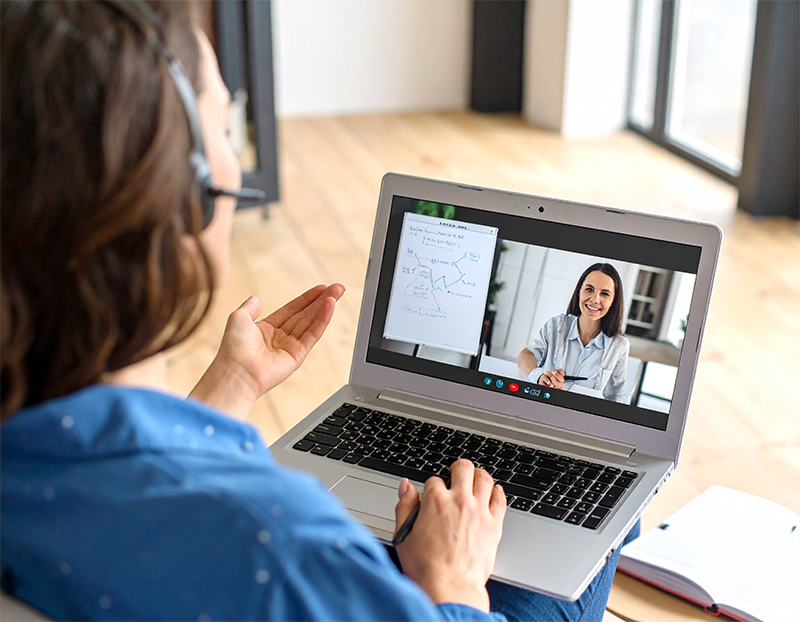
Remote usability testing is a method for examining the usability of digital products in which test subjects and test leaders are physically separated from each other. This approach has become established in practice, particularly due to increasing digitalization, hybrid forms of work and specialized UX tools. Instead of the traditional usability lab, the survey takes place __MARKBOLD_in the user’s natural context of use - for example on their own smartphone at home, during an everyday situation.
 AI
Moderated vs. Unmoderated - Two Approaches with a Different Focus
There are two basic variants of remote testing:
In moderated remote testing, a UX researcher accompanies the test person live - usually via Zoom or a specialized tool such as Lookback. Tasks are set, behavior is observed and questions are asked if necessary. This form is particularly suitable if the knowledge gain is aimed at cognitive processes, strategies or reactions.
A practical example: a team tests the checkout section of an online store. While the test person expresses their thoughts out loud, the moderator observes via screen sharing where irritations occur - for example, if mandatory fields are not clearly marked or the order button is difficult to find.
In contrast, unmoderated remote testing is asynchronous. The test subject receives tasks via a platform (e.g. Maze or UsabilityHub) and completes them independently. The interaction is recorded and metrics such as click behavior, dwell time or heat maps are then available for evaluation. This variant is particularly suitable for scalable test scenarios with many participants - for example to optimize landing pages or navigation elements.
Advantages: Scalable, Flexible, Close to Everyday Life
Remote usability testing offers a number of advantages. One of the most important is recruitment flexibility: users can participate from anywhere in the world - whether they are working from home, in a café or on the move. This facilitates the collection of heterogeneous perspectives, e.g. for international products.
In addition, testing in an everyday context allows for more realistic observation. For example, a study on the use of an app for public transport tickets showed that interaction while standing (bus or train journeys) led to operating errors that would not have been visible in a classic laboratory test.
Another advantage is the cost efficiency. There is no need for travel, room planning and technical setup, which significantly increases the test frequency, especially in agile product cycles.
Challenges and Stumbling Blocks
Despite all the advantages, remote testing also brings specific challenges:
- Limited context perception: Gestures, facial expressions or environmental factors are more difficult to capture - especially in unmoderated tests.
- Technical problems: Unstable connections, unclear screen sharing or microphone problems can affect the process.
- Interpretation risks: Without queries, misunderstandings are more difficult to recognize - for example, if a user has “aborted” although there was only a page change.
These aspects make good preparation and clear communication indispensable.
Recommendations from the Field
A successful remote test begins with a precise test plan, in which the target group, tasks, platform and evaluation strategy are defined. Before the actual test, a **MARKBOLD_technical check__ is recommended - ideally with a test person from the environment. This allows problems with the tool (e.g. pop-up blockers or camera settings) to be identified in advance.
The following applies during the moderated test: remain as passive as possible. The test person should be able to act freely - questions should only be clarifying, not guiding.
For unmoderated tests, it is worth providing additional tasks as video or audio - many participants read over written instructions or interpret them differently.
A feedback channel (e.g. by e-mail or chat) helps in the event of technical faults - especially for more complex tasks such as downloading or logging into a test area.
Suitable Tools and Platforms
Moderated Remote Testing:
- Zoom, MS Teams or Google Meet (with screen sharing and recording)
- Lookback: Especially for UX tests, with observer mode and comment feature
- UserTesting: Extensive platform for moderated and unmoderated sessions
Unmoderated Remote Testing:
- Maze: For click paths, quantifiable UX metrics, prototype testing
- UsabilityHub: Focus on quick design decisions (First Click, Five Second Test)
- Microsoft Clarity / Hotjar: Supplementary for session recording & heatmaps
Conclusion: Remote UX Tests as a Standard Tool
Remote usability testing has established itself as an efficient and effective method for mapping user experiences in everyday life. It enables broader user feedback, reduces barriers to implementation and can be easily integrated into iterative development processes. It unfolds its full strength where technical, methodological and communicative framework conditions are carefully designed - and where qualitative in-depth findings are backed up by supplementary methods (e.g. interviews or analytics).
Frequently asked questions (FAQ)
What is remote usability testing?
What variants are there?
What are the benefits of remote testing?
What are the challenges?
Which tools are suitable for remote testing?
When is remote testing particularly useful?
Remote usability testing: methods, systems and context factors
These contributions highlight different approaches and challenges of remote usability testing - from synchronous and asynchronous formats to AI-supported systems and empirically evaluated context factors.
Remote Usability Testing to Facilitate the Continuation of Research
Shows how usability methods for an mHealth app were switched to remote formats during the pandemic, with a focus on flexibility and participant engagement.
Sherwin, L. B., Yevu-Johnson, J., Matteson-Kome, M. L., Bechtold, M. L., & Reeder, B. (2022). Remote usability testing to facilitate the continuation of research. MedInfo. https://doi.org/10.3233/SHTI220110
A Test Management System to Support Remote Usability Assessment of Web Applications
Describes an AI-based framework that captures facial expressions, gaze behavior and software interaction to improve remote UX testing.
Generosi, A., Villafan, J. Y., Giraldi, L., Ceccacci, S., & Mengoni, M. (2022). A test management system to support remote usability assessment of web applications. Information, 13(10), 505. https://doi.org/10.3390/info13100505
Introducing Asynchronous Remote Usability Testing in Practice
Action research approach to introducing asynchronous UX testing in an IT organization, with insights on user engagement and tool selection.
Pedersen, J. H. H., Sørensen, M., Stage, J., & Høegh, R. T. (2021). Introducing asynchronous remote usability testing in practice: An action research project. In HCI International. https://doi.org/10.1007/978-3-030-85610-6_19
Remote Usability Testing
Overview chapter on synchronous vs. asynchronous remote tests, tools and methodological advantages and disadvantages compared to lab tests.
J. M. Christian Bastien, J. M. C. & Falzone, K. (2022). Remote usability testing. In Usability Testing Handbook. Boca Raton: CRC Press. https://doi.org/10.1201/9780429343490-5
Science corner: evidence data
- Setting
- Moderated or unmoderated tests conducted remotely
- Replication status
- Replicated / repeatedly studied
- Evidence level
- High (E=4, T=4)
- Key sources (APA)
-
- Andreasen, M. S., Nielsen, H. V., Schrøder, S. O., & Stage, J. (2007). What happened to remote usability testing? An empirical study of three methods. Proceedings of the SIGCHI Conference on Human Factors in Computing Systems, 1405–1414. https://doi.org/10.1145/1240624.1240838
- Bruun, A., Gull, P., Hofmeister, L., & Stage, J. (2009). Let your users do the testing: A comparison of three remote asynchronous usability testing methods. Proceedings of the SIGCHI Conference on Human Factors in Computing Systems, 1619–1628. https://doi.org/10.1145/1518701.1518948
- Sauer, J., Sonderegger, A., Heyden, K., Biller, J., Klotz, J., & Uebelbacher, A. (2019). Extra-laboratorial usability tests: An empirical comparison of remote and classical field testing with lab testing. Applied Ergonomics, 74, 85–96. https://doi.org/10.1016/j.apergo.2018.08.011
- International Organization for Standardization. (2019). Ergonomics of human-system interaction—Part 210: Human-centred design for interactive systems (ISO Standard No. 9241-210:2019). Open source
- Review date / version
- 2026-11-01 · 1.1
- Next review
- 2027-11-01 (Review cycle: 12 months)
Last modified: 1 November 2026