
Evidence rating
Effect score (E): 4/5 Evidence for the underlying principle or measurement method.
Transfer score (T): 4/5 Evidence for reliable results in digital product practice.
Evidence level: High
[Supported by practice tests] Predefine the task, success criteria, and timing boundaries; report success and time together with the sample size.
Scale and rating rules
Effect score: 5 established · 4 robust · 3 context-dependent · 2 weak · 1 preliminary.
Transfer score: 5 practice-proven · 4 field-supported · 3 partially supported · 2 plausible · 1 hypothesis.
Without a robust scientific or normative source, E is capped at 3. Blog and agency opinions support at most T=2. If evidence conflicts, the more conservative score applies until justified otherwise.
Evidence level: High = E ≥ 4 and T ≥ 3; Moderate = E ≥ 3; Preliminary = E ≤ 2 or T ≤ 1.
Task Success Rate & Time-on-Task
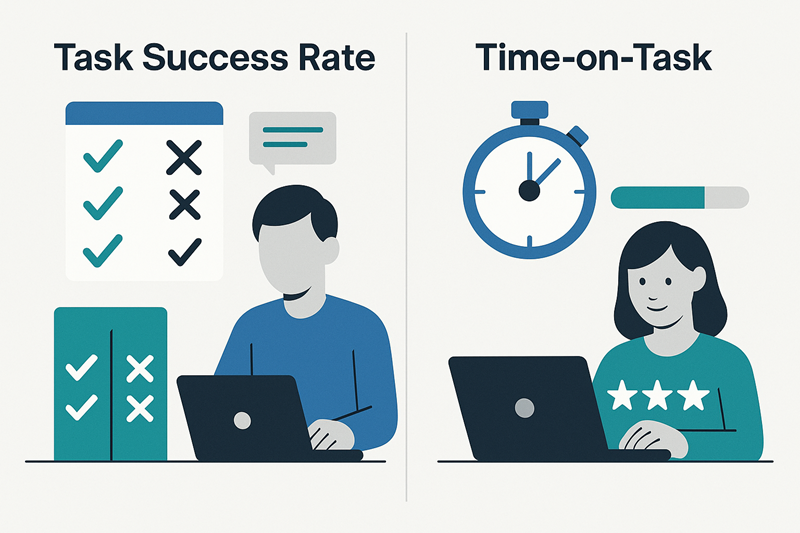
Task success rate is the share of valid task attempts users complete successfully according to criteria defined in advance. Time-on-task is the time between a defined start event and end event. Together, these UX metrics show whether a task succeeds and how long it takes—provided the task, success criteria and timing boundaries are clear.
How Successful are Users? - The Task Success Rate
The so-called task resolution rate indicates how many people were able to complete a certain task completely and correctly. It is given as a percentage and is particularly suitable for measuring the effectiveness of a system.
Formula: Task success rate = (valid attempts meeting the complete-success criteria ÷ all valid attempts) × 100. An attempt counts as successful only if the predefined user goal is achieved without a critical error. Also define whether an abandonment is a valid failed attempt; technical failures unrelated to the product may be excluded under a rule set in advance.
Practical example
In a usability test, users were asked to open an account in a banking app. Out of ten test subjects, seven successfully get to the last step. Three aborted beforehand - partly because the “Next” button was difficult to see and partly because the input fields were unclear.
Calculation: 7 ÷ 10 × 100 = 70% task success rate. A clear indication of optimization potential in the onboarding process.
 AI
Variants of the Survey
- Binary: Success yes/no - easy to survey, but not very differentiated.
- Report completion levels: Count complete success, partial completion and abandonment separately, alongside the binary success rate. This keeps the standard metric clear while making progress visible.
- Weighted scoring: If subtasks have different importance, a predefined score can be calculated: sum of weights for completed subtasks ÷ sum of all weights × 100. This is a supplementary weighted completion score, not the same as the binary task success rate; document its weights and criteria.
- Error-based: Additionally analyze why tasks fail - e.g. technical errors, misunderstandings, usability problems.
The success rate can describe and compare versions or time points when tasks, success criteria, and measurement conditions are comparable. An observed difference alone does not establish a cause; causal claims require an appropriate study design, such as a randomized experiment. With small samples, consider estimation uncertainty and chance variation. Trends over time can also reflect changes outside the product.
How Efficient is the Use? - Time-on-task
While the success rate describes the achievement of a goal, the Time-on-Task records the effort required to achieve it - usually in the form of the time needed.
Practical example: In an e-commerce test, a successful checkout takes a median of 3:20 minutes on the old version and 1:50 on the redesigned version. The difference is 90 seconds, or 45% less time relative to 200 seconds. This comparison is meaningful only if the task, sample and measurement rules are comparable and the success rate has not fallen.
But: Less time is not automatically better. An extremely short time-on-task can also indicate superficial processing or lack of interest. Therefore, this metric should always be interpreted in the context of the task and user goals.
How is it Measured?
- Formula: Time-on-task = timestamp of the end event − timestamp of the start event. Define both events in advance, for example from the first “Log in” click to confirmed sign-in.
- For moderated tests: by stopwatch or digital timer
- For digital systems: automatically via log files, session recording or analytics
- Important: Define the same start and end events for every participant. Set rules for pauses, moderator interventions, loading time and interruptions in advance.
Example: Eight successful attempts take 12 minutes in total. The arithmetic mean is 12 × 60 ÷ 8 = 90 seconds. With small samples, report individual values or at least the sample size and spread; for right-skewed times, the median and interquartile range are often more informative than the mean alone. Times from successful attempts alone can look deceptively good when many people abandon the task: report abandonments and time to abandonment separately rather than silently omitting them from the success or timing picture.
Interpreting outliers and abandonments
Check unusually short or long times against the recording first: was there a timing error, an external interruption or a genuine interface detour? Keep valid observations in the analysis; they may reveal barriers. Exclude values only under a transparent, predefined rule and document the impact. Avoid arbitrary time limits that turn slow but valid attempts into apparent successes.
Strong Together: Effectiveness & Efficiency
The two metrics only become fully meaningful when combined. A task can be completed quickly - but still fail frequently. Or it is usually completed successfully, but takes a remarkably long time.
| Metrics | Statement about |
|---|---|
| Task success rate | Effectiveness |
| Time-on-task | Efficiency |
Example combination: In an intranet test, 90% of users manage to find a specific piece of information - but it takes them over 4 minutes on average. The interpretation: The system works, but not efficiently. A better navigation or search function could help here.
| Result | Possible interpretation | What to investigate next |
|---|---|---|
| High success rate, short time | Most people complete the task quickly | Check that users also proceed accurately and confidently |
| High success rate, long time | The goal is reached, but with effort | Investigate detours, comprehension issues and unnecessary steps |
| Low success rate, short time | Users may be abandoning or failing quickly | Check abandonment, error patterns and success criteria |
| Low success rate, long time | The task may be unclear or blocked | Analyze observations and individual process steps |
Best Practices from the Field
- Formulate tasks realistically: The task should correspond to the real context of use.
- Operationalize start and end points: This is the only way to consistently record times and success rates.
- Do not simply delete outliers: A user needs 10 minutes because the interface is blocked in a certain constellation - this is not a “measurement error”, but a valuable insight.
- Triangulating with qualitative methods: Statements from interviews or thinking aloud help to interpret figures (“Why was the task difficult?”).
- Report time and success together: A faster time is not an improvement if more people fail or make critical errors.
How to measure both metrics consistently
- Define the task, target users and the expected successful outcome.
- Set the exact start and end event before collecting data.
- Record completion as complete, partial or failed and capture the time for every participant.
- Report the sample size, distribution and relevant outliers instead of only an average.
- Compare versions only when task wording, context and participant criteria remain comparable.
Conclusion
Task Success Rate and Time-on-Task are proven tools for making user performance measurable. As quantitative metrics, they provide clear, comparable and meaningful data about the usability of a system - provided they are used context-sensitively and methodically clean. In practice, they are indispensable for benchmarking, redesign evaluations and continuous UX optimization.
Quantitative usability measurement: task times, success rates and key figures
This literature selection highlights metrics of UX research such as task time, error frequency, success rates and composite indices. The focus is on statistical analysis and interpretation of quantitative usability data.
Quantifying User Research
Basic text on quantitative UX measurement with a focus on task times, success rates and error frequencies. Emphasizes statistical evaluability even with small samples.
Sauro, J., & Lewis, J. R. (2012). Quantifying user research. In Quantifying the User Experience. https://doi.org/10.1016/B978-0-12-384968-7.00002-3
Average Task Times in Usability Tests: What to Report?
Analyzes different methods for displaying task times. Recommends geometric mean over median or arithmetic mean for skewed data.
Sauro, J., & Lewis, J. R. (2010). Average task times in usability tests: what to report? In CHI Proceedings. https://doi.org/10.1145/1753326.1753679
Combined and Comparative Metrics
Introduction to the Single Usability Metric (SUM), which combines task success, time-on-task, errors and satisfaction into a comparative index.
Tullis, T. S., & Albert, B. (2013). Combined and comparative metrics. In Measuring the User Experience. https://doi.org/10.1016/B978-0-12-415781-1.00008-X
Variation in Importance of Time-on-Task with Familiarity
Shows that the perception of usability correlates more strongly with time-on-task the more familiar users are with a product.
Suzuki, S., Bellotti, V., Yee, N., et al. (2011). Variation in importance of time-on-task with familiarity. In CHI. https://doi.org/10.1145/1978942.1979314
Usability Testing Through Devices in Bangladesh
Comparison of task success rate and task times on mobile vs. desktop devices for a university website. Provides real benchmarks and application scenarios.
Yesmin, S., & Atikuzzaman, M. (2023). Usability testing of a website through different devices: a task-based approach. Information Discovery and Delivery. https://doi.org/10.1108/IDD-01-2023-0007
Frequently asked questions (FAQ)
What is the task success rate?
What does time-on-task mean?
How are these metrics collected?
Why are these key figures important?
What are the best practices?
When should you combine both metrics?
How should partial success count in task success rate?
How should I handle outliers in time-on-task?
Science corner: evidence data
- Setting
- Standardized tasks in moderated tests or instrumented products
- Replication status
- Replicated / repeatedly studied
- Evidence level
- High (E=4, T=4)
- Key sources (APA)
-
- International Organization for Standardization. (2018). Ergonomics of human-system interaction—Part 11: Usability: Definitions and concepts (ISO Standard No. 9241-11:2018). Open source
- Frøkjær, E., Hertzum, M., & Hornbæk, K. (2000). Measuring usability: Are effectiveness, efficiency, and satisfaction really correlated? Proceedings of the SIGCHI Conference on Human Factors in Computing Systems, 345–352. https://doi.org/10.1145/332040.332455
- Hornbæk, K. (2006). Current practice in measuring usability: Challenges to usability studies and research. International Journal of Human-Computer Studies, 64(2), 79–102. https://doi.org/10.1016/j.ijhcs.2005.06.002
- Sauro, J., & Lewis, J. R. (2005). Estimating completion rates from small samples using binomial confidence intervals: Comparisons and recommendations. Proceedings of the Human Factors and Ergonomics Society Annual Meeting, 49(24), 2100–2103. https://doi.org/10.1177/154193120504902407
- Review date / version
- 2026-11-01 · 1.1
- Next review
- 2027-11-01 (Review cycle: 12 months)
Last modified: 1 November 2026